How to use IPOMine
1. Searching
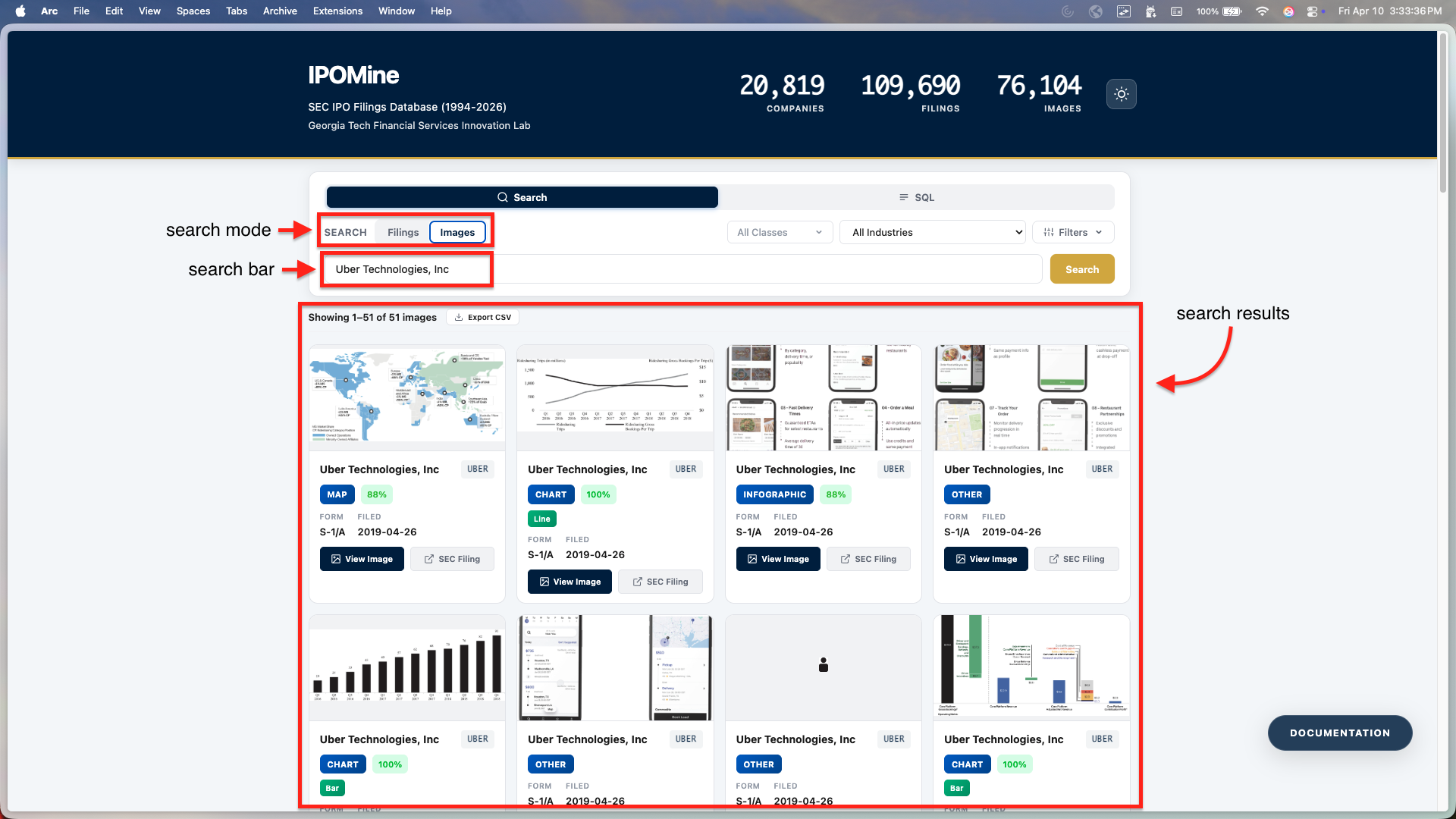
Type a company name or ticker in the search bar. Use Filings mode for specific records or Images mode to find charts and tables within filings.
2. Filtering
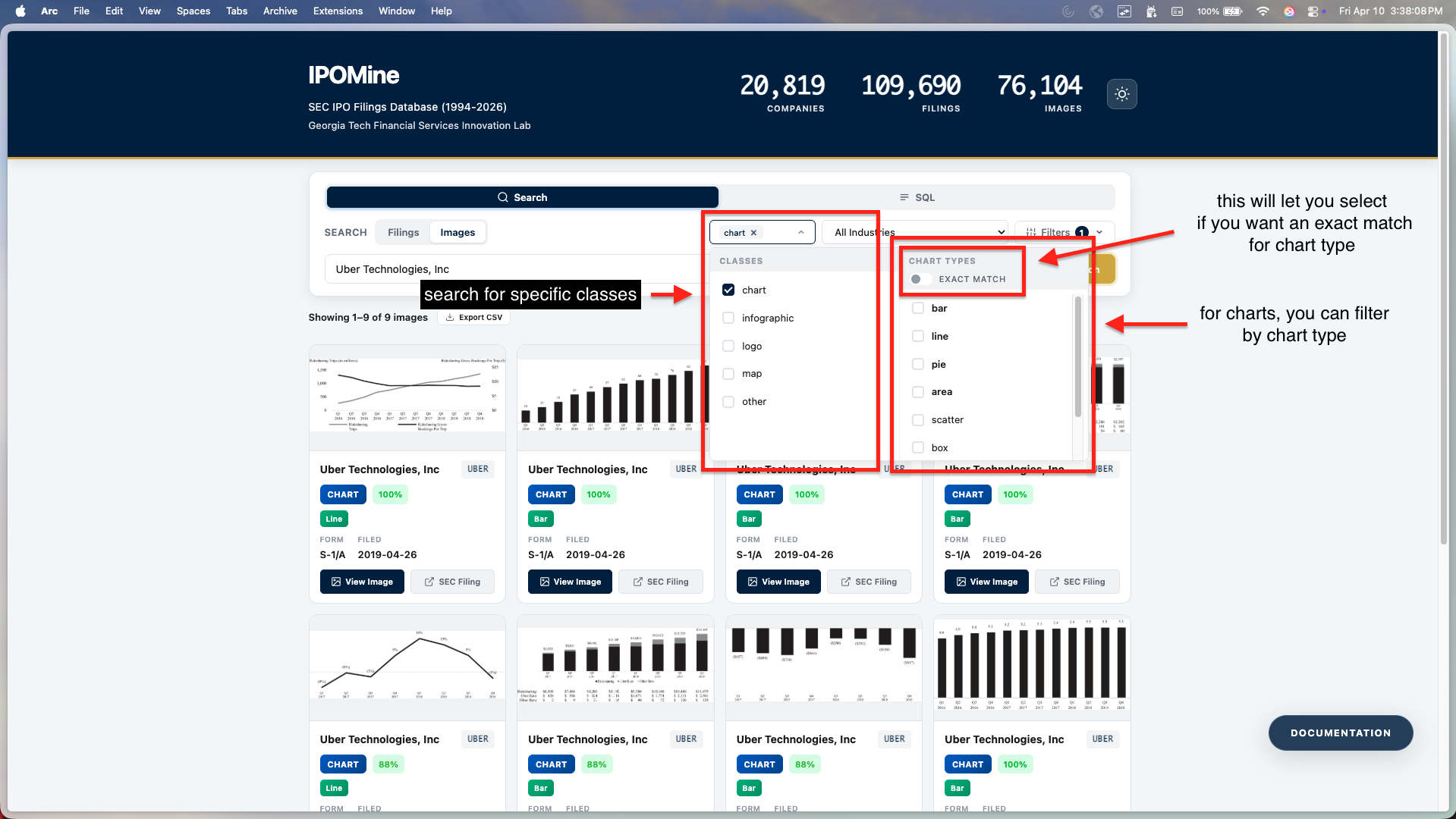
Click the Filters button to narrow results by Industry, Form Type (S-1, F-1), or Date Range. In Image mode, you can also filter by class and chart type.
3. SQL Querying
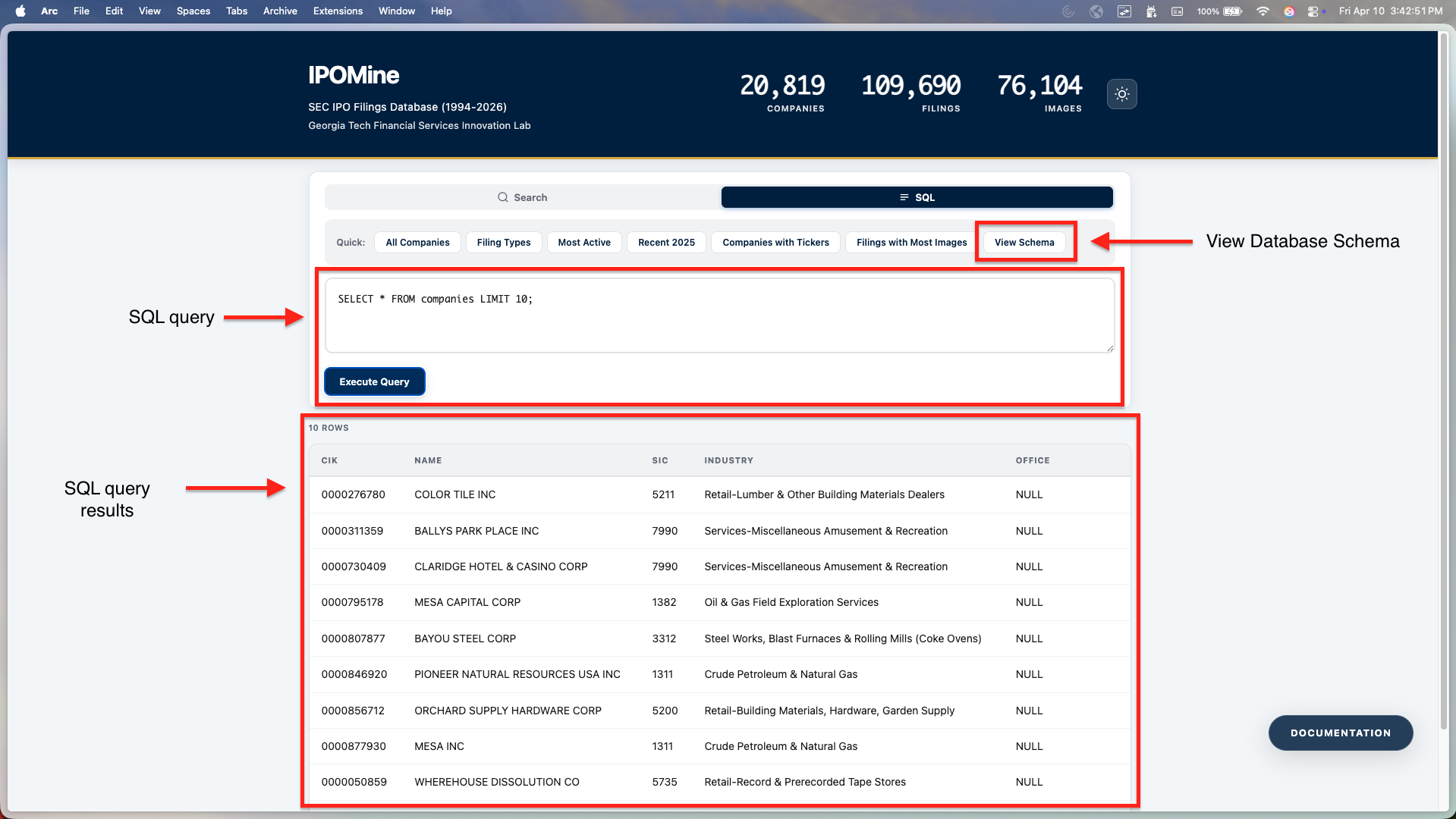
Switch to the SQL tab to execute raw SQLite queries. Check the examples or click View Schema to explore the database structure.
4. Filing Details
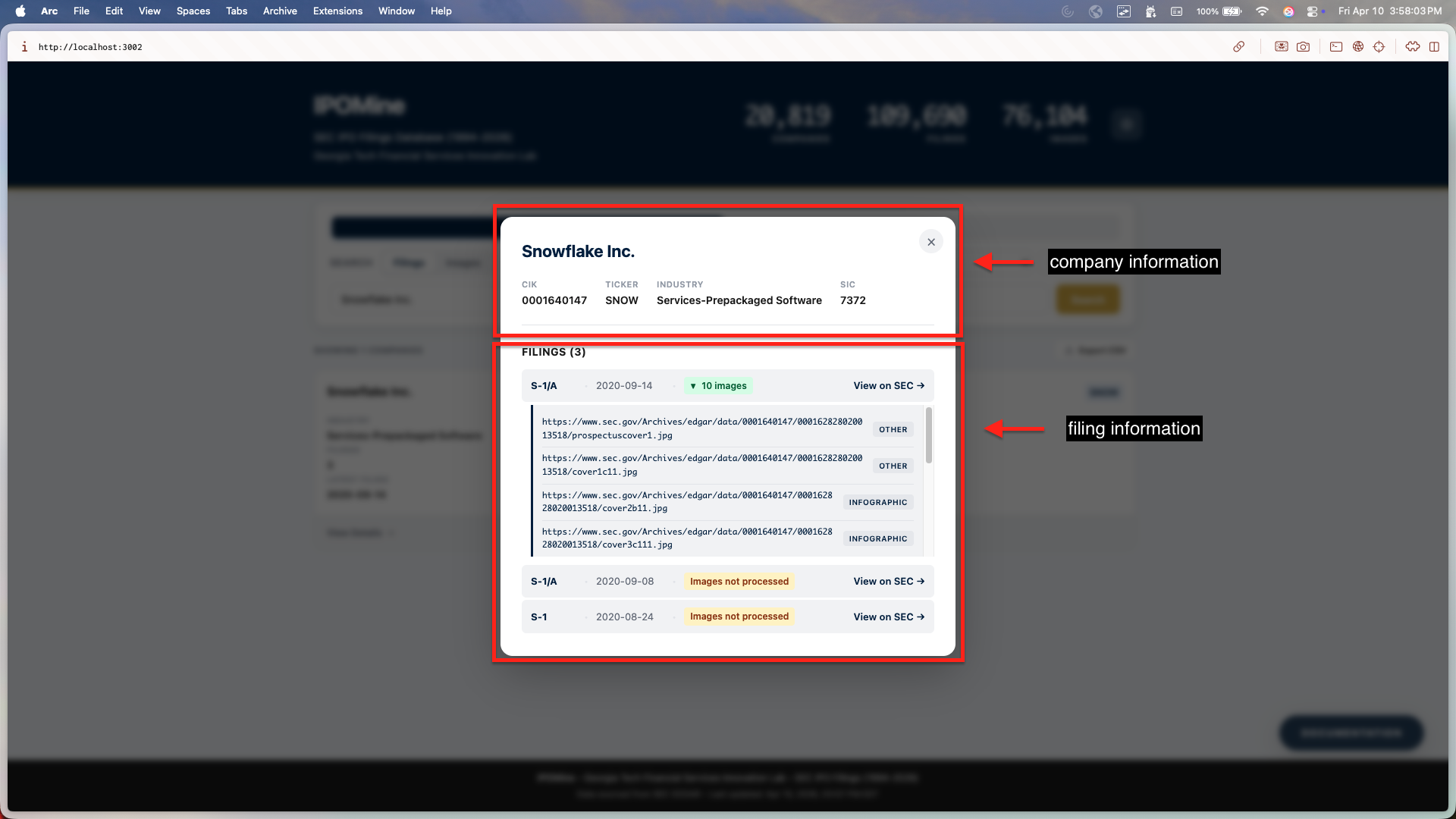
Click on any company card to open the Filing Details view. Here you can see a complete history of IPO filings, directly access SEC source documents, and preview all extracted images for that specific filing.